Getting Started With Google Colab
This following tutorial will get you started with using Google Colab. Google Colab can be interpreted as normal python notebook with added functionality. There are two general ways you can work with Colab.
- Colab with Google Drive
- Colab with Github mounting with google drive. (!!!Only if its private repository)
For now we can only use Colab with google drive which is really simple to get started.
A general overview of the steps involved in using Google Colab
- You need to have a google account (or) create new one
- Upload your scripts and data
- Run the Scripts on Colab from Google Drive.
Step 1: Setting Up
- Create Google Account (or use Exsisting)
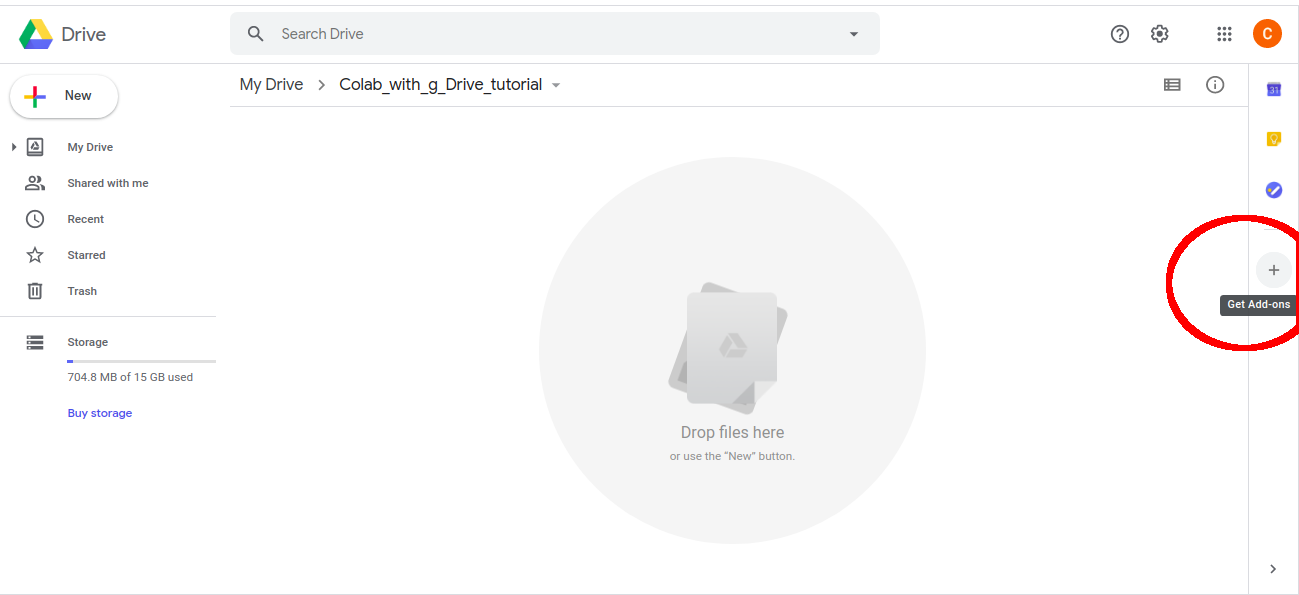
- Go to google drive //drive drive.google.com
- Click on “Add-on” with “+” sign which is towards the right-most column
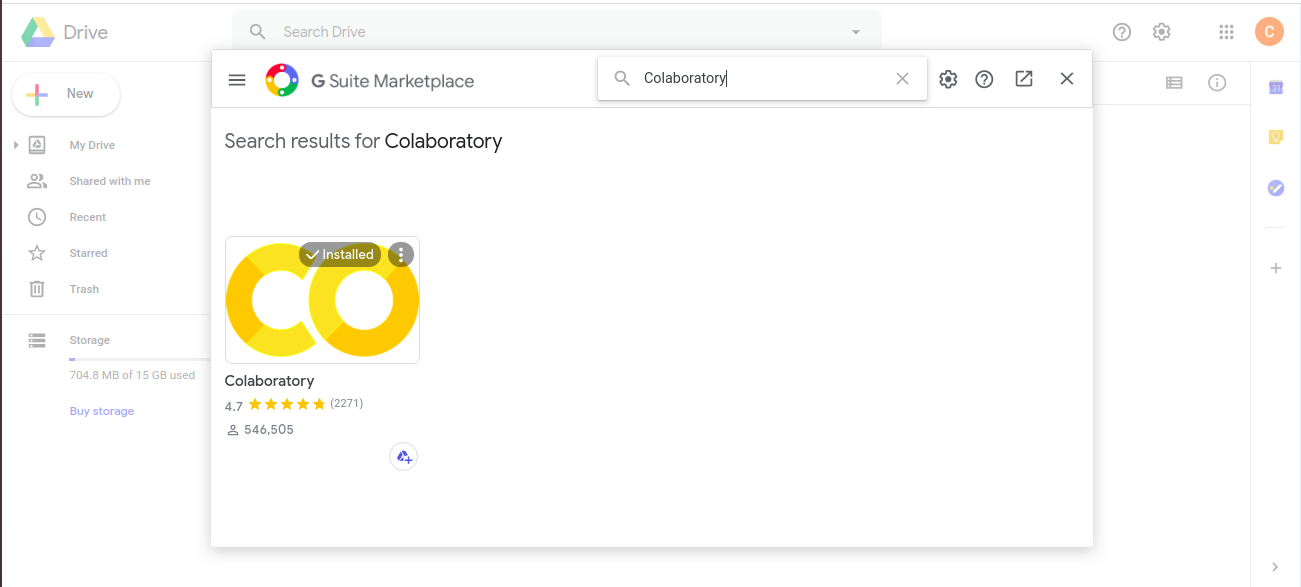
- Install Colabotory
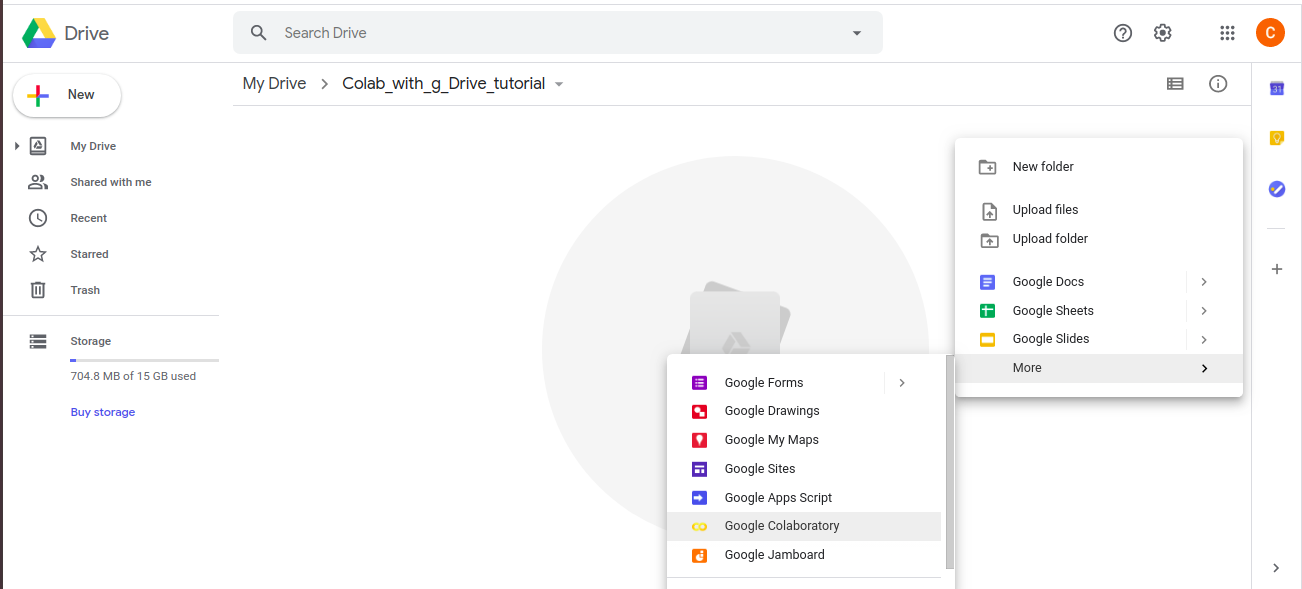
- Right Click and open a new colab file (.ipyb)
Step 2: Getting familier with Colab
- Basically you can use it as ipython notebooks.
- Ideally you can execute any python shell command through .ipynb
- To install any packages use following:
!pip install <package-name>
 # Don't forget ! before pip.
 # If you want to execute shell commands use "!" before any desired command
 # For more information [here](https://colab.research.google.com/github/jakevdp/PythonDataScienceHandbook/blob/master/notebooks/01.05-IPython-And-Shell-Commands.ipynb)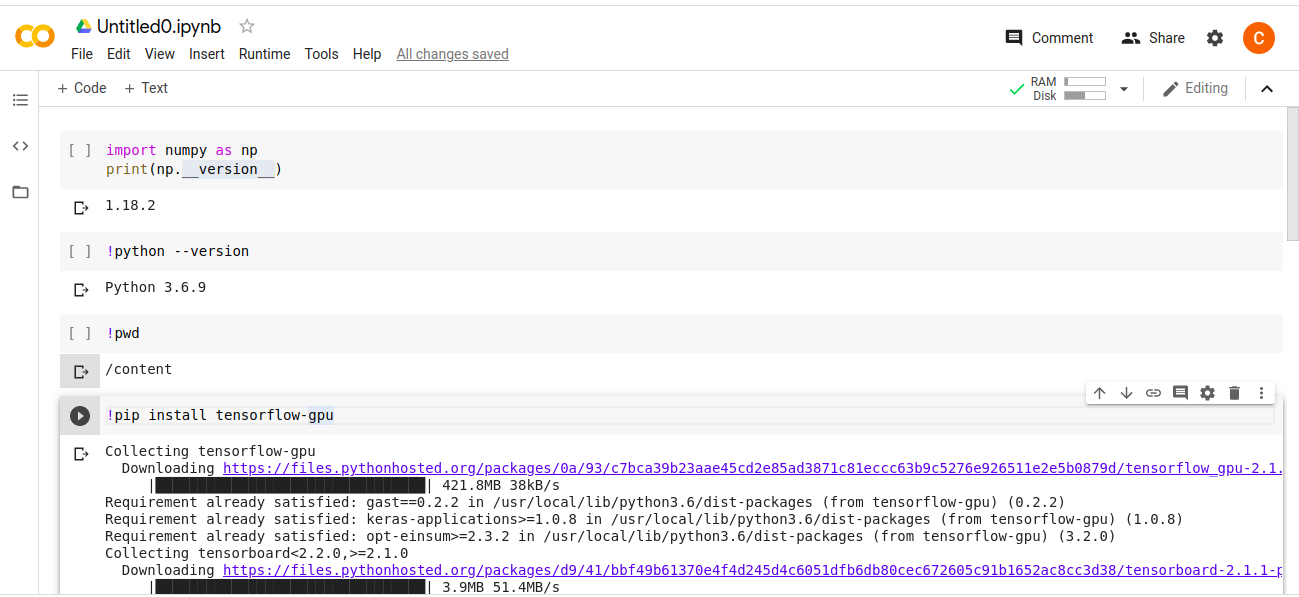
- Set RunTime - Go to drop down menu and select “Runtime>Change runtime type”. Here you can select GPU.
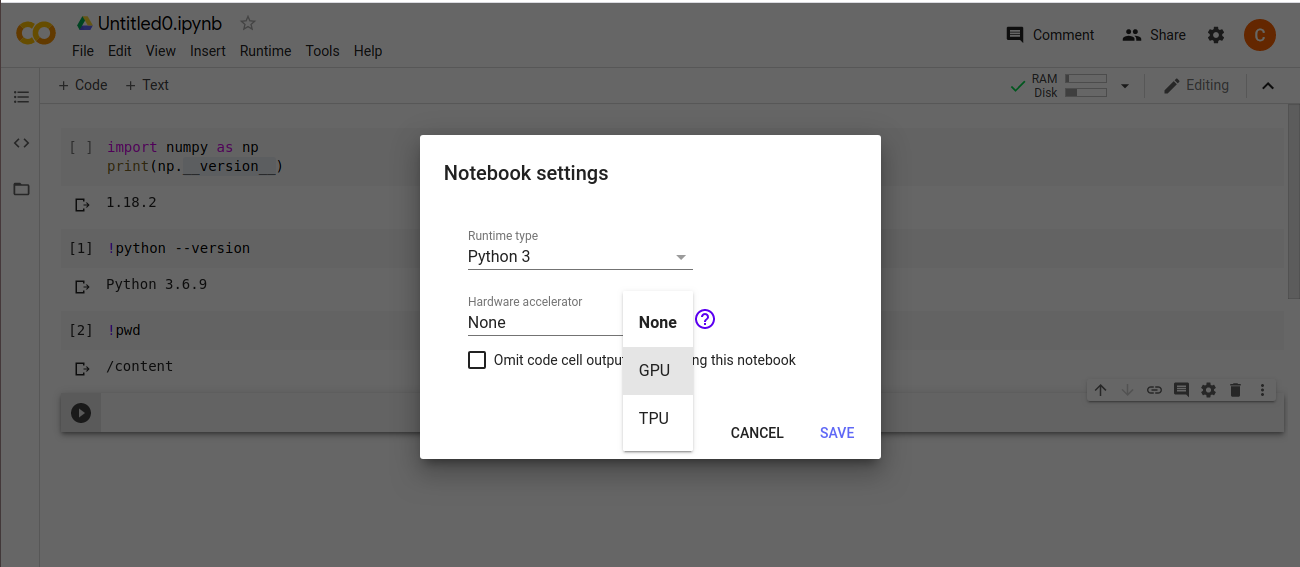
Note: Due to inactivity you might need to reset Runtime.
Step 3: Run Scripts From Google Drive
In order to run a script you need to do following 3 steps
- Mount your google drive with your .ipynb
from google.colab import drive drive.mount('/content/drive') -
You need to authorise which google drive you want to mount by signing in. After signing-in you will get a code which you can then paste it in the given area.(This can be done easily by following the instructions)
- Go to the script location and run the script
cd /content/drive/My Drive/Colab_with_g_Drive_tutorial
!python colab_test.py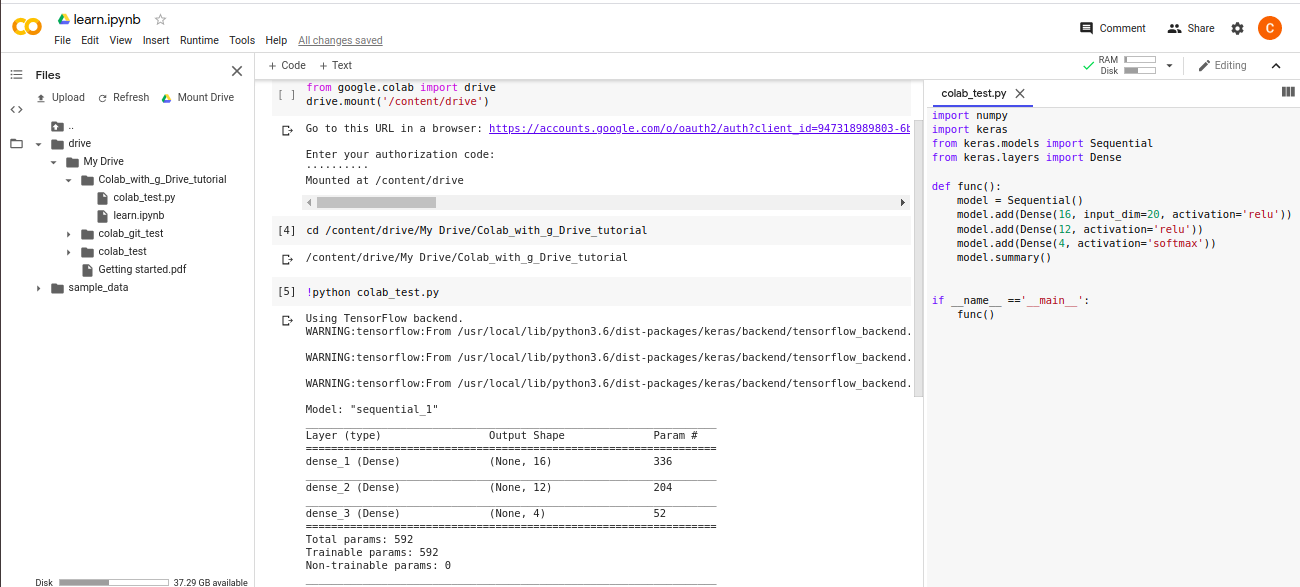
General Tips:
- Avoid uploading audio files (.wav or .mp3) in Google Drive, instead use extracted features (for example, spectogram saved as .npz file)
- Google Colab notebooks have an idle timeout of 90 minutes and absolute timeout of 12 hours. This means, if user does not interact with his Google Colab notebook for more than 90 minutes, its instance is automatically terminated. Also, maximum lifetime of a Colab instance is 12 hours.
- Try to avoid traning which takes longer than 12 hours (or break down your tranings)
- There are way you can train the models online and save checkpoint in your google drive, check out some info here
- If you want to use TPUs. check out some info here
Some Basic Commands Needed
To check CPU and RAM specifications
!cat /proc/cpuinfo
!cat /proc/meminfo
Check GPU specifications
from tensorflow.python.client import device_lib
device_lib.list_local_devices()
For html link click here